Number Typing Test: Measure Your Speed and Accuracy on Digits
By A. Pepper, CEO of Type Click Tests ·
A number typing test measures how fast and how cleanly you enter digits, and the score that matters is the one that counts only correct characters. Digits are less forgiving than words: a wrong letter in a sentence is still readable, while a wrong digit in a phone number, invoice or spreadsheet cell is simply a wrong number. That is why you should read your result as speed and accuracy together. On Type Click Tests you can run timed tests from 15 seconds to 5 minutes with no signup, and the result shows your characters per minute (CPM), your accuracy and your animal rank, from Snail up.
TL;DR
- A number typing test times you while you enter digits and reports speed plus accuracy. Speed without accuracy is not a usable score for numeric work.
- Numeric speed is usually quoted in CPM, NPM (numbers per minute) or KPH (keystrokes per hour), while ordinary typing uses WPM. One word is conventionally five characters, so CPM divided by five gives WPM.
- For data entry, employers care about errors at least as much as raw speed, and each employer sets its own bar. Read the posting and match your practice to it.
- Use the numeric keypad with the 4, 5 and 6 keys as your home row, keep your eyes on the source, and practice in short daily sessions.
- Our typing tests are free, need no account and show the clock and ranking rules on screen.
Table of Contents
- What a number typing test actually measures
- NPM, CPM, KPH and WPM: how the units relate
- Why the test length changes your score
- Number row or numeric keypad?
- What data entry employers look for
- Practice routine for digits
- Common digit mistakes and how to fix them
- Which readers should use which test
- Try it on Type Click Tests
- How to read your results
- FAQ
- Sources
What a number typing test actually measures
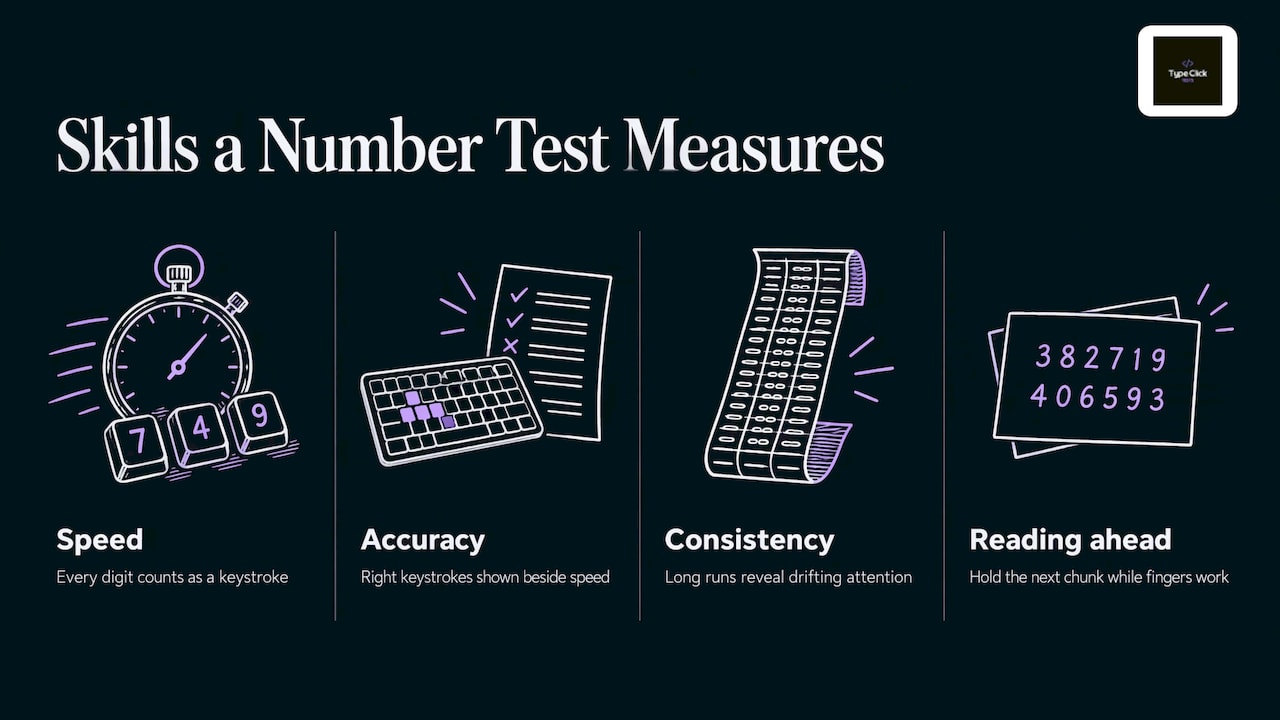
A number typing test checks three things at once.
Speed. How many characters you enter per unit of time. For digits, every character is a keystroke, so there is no ambiguity about what counts as a “word”.
Accuracy. What share of those keystrokes were right. A good test shows this as a percentage next to the speed figure, not hidden behind it.
Consistency. How steady your rhythm stays over the run. Short tests reward a sprint. Longer ones reveal whether your speed holds when your attention starts to drift, which is exactly what a long stretch of data entry demands.
There is also a hidden fourth skill: reading ahead. Digit strings have no shape and no meaning to help you, so you cannot lean on word recognition the way you do with prose. Your eyes have to hold a short chunk in memory while your fingers work on the previous one. People who type 70 WPM on sentences often score noticeably lower on digits for this reason, and it is normal.
NPM, CPM, KPH and WPM: how the units relate
The unit confusion is the first thing that trips people up when they compare scores.
| Unit | What it counts | Typical use |
|---|---|---|
| WPM (words per minute) | Standard words, where one word is five characters | General typing tests |
| CPM (characters per minute) | Every correct character, digits included | Short tests, numeric work |
| NPM (numbers per minute) | Digits or number groups, depending on the test | Number practice drills |
| KPH (keystrokes per hour) | Keystrokes scaled to an hour | Data entry job requirements |
The conversions are simple arithmetic:
- CPM divided by 5 gives WPM.
- CPM multiplied by 60 gives KPH.
Worked example. You enter 200 correct digits in one minute with 3 mistakes in the run. That is 200 CPM, which equals 40 WPM and 12,000 KPH. Your accuracy is 200 correct out of 203 keystrokes, about 98.5%.
Now compare it with a second run: 240 CPM but 12 mistakes. Raw speed went up 20%, but accuracy fell to roughly 95%, and you now have 12 cells to find and fix. In real data entry the first run is the better one. Type Click Tests reports CPM and WPM alongside accuracy for this reason: the three figures only make sense together, and our guide to why accuracy matters more than a headline WPM explains how to read them.
Why the test length changes your score
A 15 second run captures your burst speed. A one minute run is the usual standard because it averages out a slow start and a lucky streak. A three to five minute run shows endurance, and numeric data entry is an endurance skill.
A practical way to use the lengths:
- Start with the 30 second typing test for a quick baseline.
- Use the 1 minute typing test as your weekly benchmark number.
- Finish a session with the 3 minute typing test to see whether accuracy slips late in the run.
If you are unsure which score deserves your trust, our comparison of the 15 second and 1 minute typing test goes through when each one is reliable.
Number row or numeric keypad?
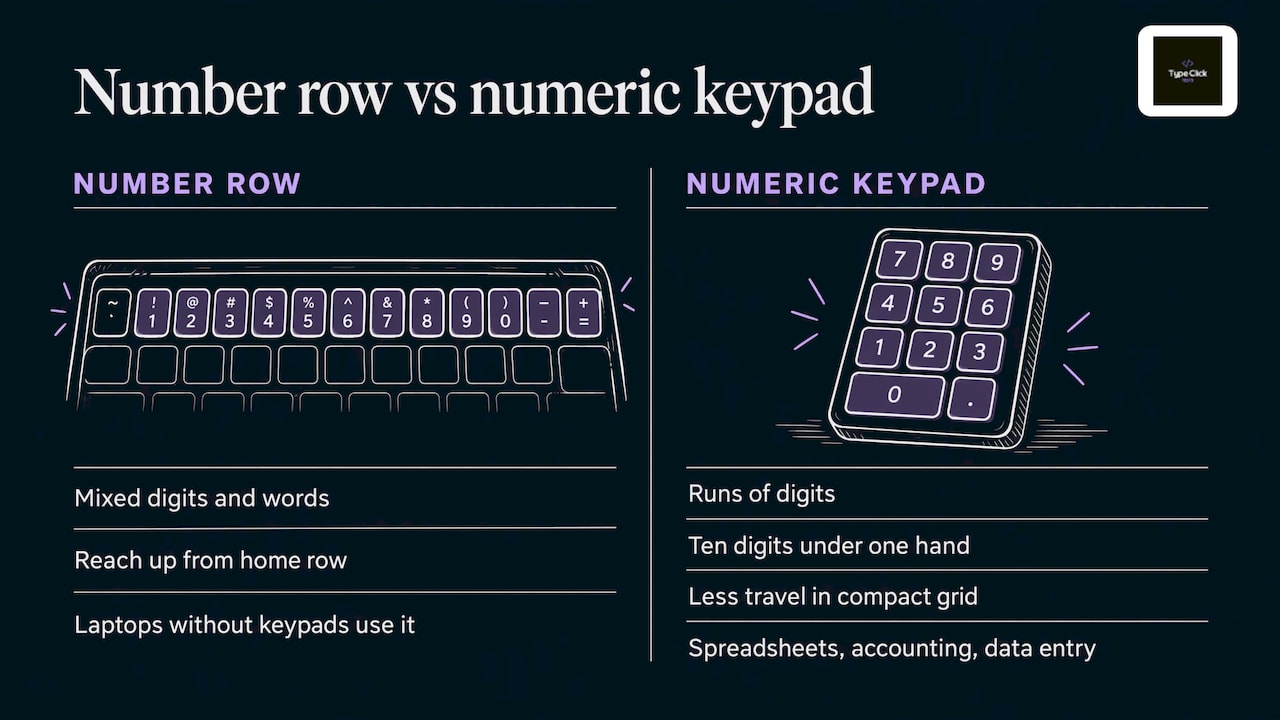
You can type digits on the row above the letters or on the separate keypad on the right of a full-size keyboard. Both work, but they suit different jobs.
The number row is the right choice when you type digits mixed with words, such as an email with a postcode or a code in a sentence. You reach up from the home row and return, so your accuracy depends on your touch typing habits.
The numeric keypad is built for runs of digits. All ten digits sit under one hand in a compact grid, so there is far less travel. This is the layout that spreadsheets, accounting software and data entry roles are built around, and it is usually called 10-key.
Laptops without a keypad force you onto the number row, and that is fine for learning. If your goal is a job that involves heavy numeric input, practice on a keyboard with a keypad when you can, because the finger map is different.
The 10-key finger map
Use your right hand only.
- Index finger: 4, 5… no, the index finger covers 4, 7 and 1.
- Middle finger: 5, 8 and 2, resting on 5.
- Ring finger: 6, 9 and 3, plus the decimal point.
- Thumb: 0.
- Little finger: Enter and the plus key.
The middle row, 4-5-6, is your home row, and the 5 key usually has a small raised bump so you can find it without looking. Rest your index, middle and ring fingers on 4, 5 and 6, and move each finger straight up or down its own column. Never hunt for a key with the wrong finger, even when it feels quicker for one entry. That habit is what stalls speed later. The principle is the same one that drives letters, and our article on touch typing versus hunt-and-peck shows how much it changes a score.
What data entry employers look for
If you are taking a number typing test because a job requires one, the first thing to know is that there is no single national standard. Each employer sets its own threshold, and the unit may be WPM for general entry, KPH for numeric work, or a plain pass mark on accuracy. The U.S. Bureau of Labor Statistics describes data entry keyers as a high school diploma role with short-term on-the-job training, which fits what most postings say: they want a reliable skill they can verify in a short test, not a credential.
What tends to be common across postings and assessments:
- A speed target and an accuracy target. Many postings state both. If the posting names only a speed, treat accuracy as assumed. A high 90s percentage is a sensible aim.
- A fixed set of entries to transcribe. Assessments often hand you a set number of items instead of a clock, so what matters is finishing cleanly.
- Real-world formats. Expect decimals, dashes, dates, and codes, not only plain digit strings.
The practical lesson: a candidate who types a little slower and makes almost no errors usually reads better on paper than one who is faster and sloppy, because every error costs someone a review. Train for clean runs first and let speed rise on its own.
When you convert a posting’s requirement, use the formulas above. A target given in KPH divides by 60 to give CPM, and CPM divides by 5 to give WPM. Then run a one minute test and compare your own figure to the target, with accuracy shown next to it.
Practice routine for digits
Speed on numbers comes from muscle memory and a steady rhythm. Short, frequent sessions beat one long weekend grind. Here is a routine that fits in ten minutes. For a version built around letters and words, see our daily typing practice routine.
Minutes 1 to 3: slow and clean
Type short digit strings of 10 to 20 characters at a speed where you make no errors. Look at the screen, never the keys. If you look down, slow down until you can stop doing it. The aim is automatic finger placement, not a score.
Minutes 4 to 7: chunk the digits
Do not read digits one by one. Group them the way people say them: a phone number as three blocks, a long account number in groups of three or four. Chunking lowers the load on your memory and helps prevent transposition, where you swap two neighboring digits without noticing. Read the next chunk while your fingers finish the current one.
Minutes 8 to 10: one timed run
Finish with a single one minute test. Write down CPM and accuracy. Do not retake it five times chasing a better number, because the score you want is the one you can repeat.
Weekly check
Once a week, take the same length of test and compare. A useful pattern to track:
| Week | CPM | Accuracy | Note |
|---|---|---|---|
| 1 | 150 | 94% | Looking at keys |
| 2 | 160 | 96% | Chunking in threes |
| 3 | 170 | 97% | Fewer corrections |
| 4 | 185 | 98% | Steadier rhythm |
The figures are an illustration of the shape of progress, not a promise. Accuracy typically improves first, speed follows, and the two together are what your practice should push. Our guide to typing faster without losing accuracy covers the habits behind that.
Common digit mistakes and how to fix them
Transposed pairs (45 typed as 54). Slow your chunk reading and say the group silently before typing it.
Doubled or dropped repeats (1100 typed as 100). Repeated digits break rhythm. Practice strings like 1122 and 3300 deliberately until the double tap is smooth.
Wrong finger on 7, 8, 9. The top row is the one people reach for with the wrong finger. Keep the index on 7, the middle on 8 and the ring on 9, and drill that row alone for a minute.
Ignoring the decimal point and Enter. In real work these are keystrokes too. Add them to your drills so they are not a surprise on the day.
Fatigue errors late in the run. If accuracy drops in the last minute of a longer test, shorten your sessions and rest your wrists. Sit with your forearms level and your wrists straight.
Which readers should use which test
Students building general speed should take the one minute test weekly and use the digit drills above as a supplement, since numbers show up in coursework, spreadsheets and forms.
Job seekers and professionals facing an assessment should convert the employer’s requirement into CPM, then practice in the same format with a focus on accuracy.
Gamers who care about clicking speed are measuring a different skill, mouse clicks per second, and have their own tests, such as the 30 second click test. Reaction games like the F1 reaction test train a different kind of quick response.
Hobbyists can treat the animal ranks as a game: aim to move up from Snail and watch your accuracy while you do it.
Try it on Type Click Tests
Our typing tests run from 15 seconds to 5 minutes and give you CPM, WPM and accuracy the moment you finish. The calculation happens in your browser, so the feedback is instant, and there is no account, paywall or signup. The clock and the ranking criteria stay visible and explained, and accuracy gets the same weight as speed in both the feedback and our improvement tips.
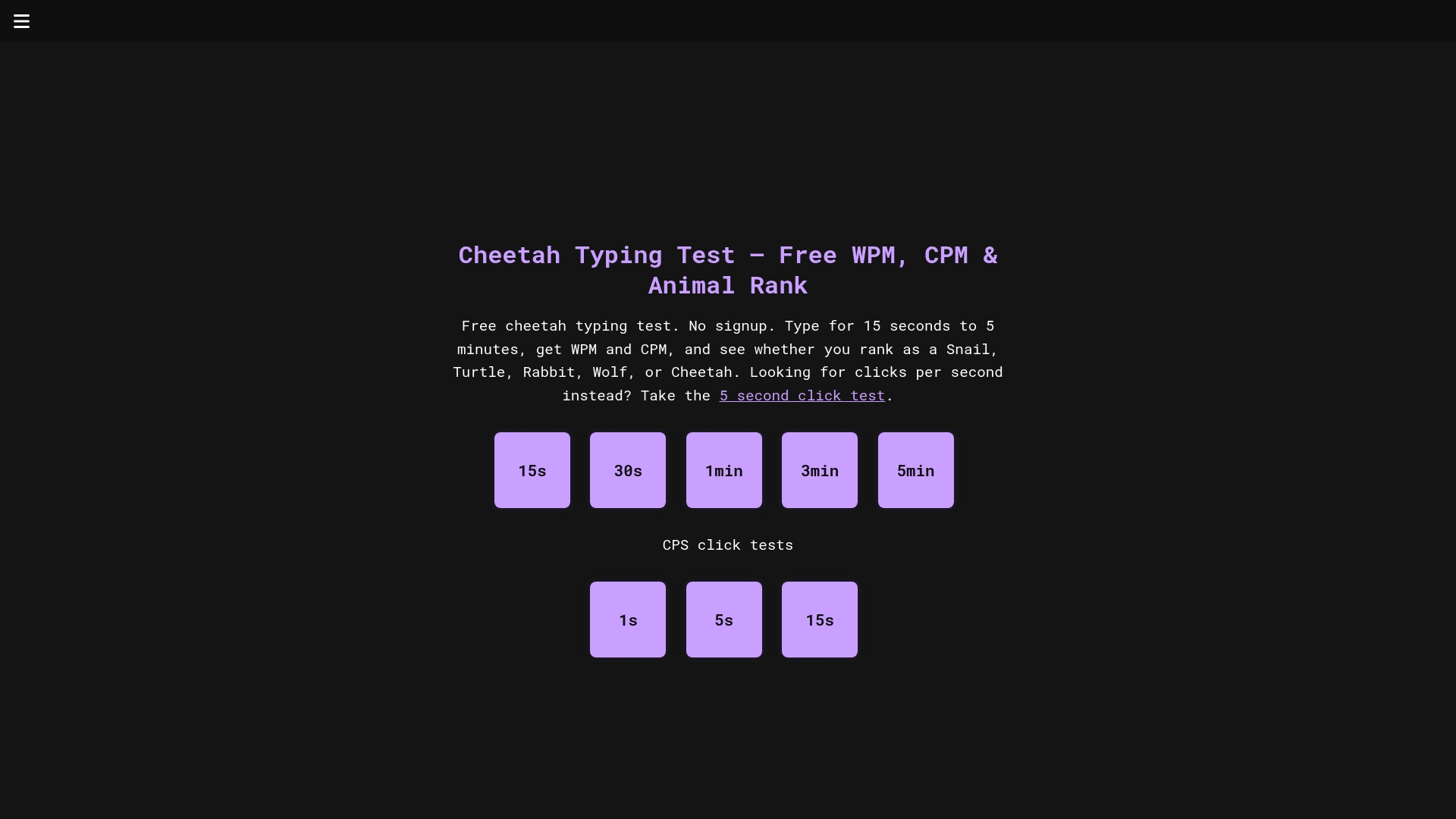
Start with a one minute run on the Cheetah Typing Test home page, note your CPM and accuracy, then come back weekly. Between sessions, the site also has quick games for a break, such as Stop the Wheel for timing and Guess the Country for geography.
How to read your results
You do not need a perfect score. You need a trend. Here is how to interpret a week of numbers:
- Speed up, accuracy flat or up: your practice is working. Keep the routine.
- Speed up, accuracy down: you are pushing too hard. Drop the pace until errors fall back, then climb again.
- Speed flat, accuracy up: this is normal and often comes just before a jump in speed.
- Both flat for two weeks: change one thing, such as chunk size or session length, rather than doing more of the same.
For a sense of where general typing speeds fall, our plain-language page on average typing speed lays out the WPM bands that the animal ranks reflect.
FAQ
What is a good score on a number typing test?
It depends on the goal. For general use, steady and accurate beats fast and messy. For a job, the employer’s posting sets the bar, so convert its figure into CPM and compare it with a one minute run of your own, keeping your accuracy in the high 90s.
How do I convert WPM to CPM or KPH?
Multiply WPM by 5 to get CPM, since a word is conventionally five characters. Multiply CPM by 60 to get KPH. So 40 WPM is 200 CPM, which is 12,000 KPH.
Should I use the numeric keypad or the number row?
Use the keypad for long runs of digits, because all ten keys sit under one hand with little movement. Use the number row when digits are mixed into text. Either way, keep your eyes on the screen and use a consistent finger for each key.
How often should I practice to improve?
Short daily sessions of about ten minutes work better than one long session, since muscle memory builds through repetition. Take one timed test a week to track your CPM and accuracy.
Do I need to sign up to take the test?
No. Tests on Type Click Tests are free and open straight away, with no account, and results appear right after each run.