2 Minute Typing Test: How to Take It and Read Your Score
By A. Pepper, CEO of Type Click Tests ·
A two-minute typing test gives you a steadier number than a quick sprint and asks for less stamina than a long endurance run. You type a passage against a clock, and the result is words per minute (WPM), characters per minute (CPM) and accuracy. This guide covers how that score is calculated, what a good one looks like, and how to raise it. We build free timed typing tests at Type Click Tests, with lengths from 15 seconds to 5 minutes, no signup and instant results in your browser. The 1 minute test and the 3 minute test bracket a two-minute effort on either side.
TL;DR
- A two-minute test is long enough to smooth out a lucky start or a stumble, and short enough to repeat several times in one sitting.
- Your score is speed and accuracy together. WPM counts every five characters as one word, and CPM is simply characters per minute, so CPM is roughly WPM times five.
- Typical adult speeds are lower than most online leaderboards suggest. A national panel study found a median of 37.8 WPM on a computer, so 40 to 50 WPM is already a solid result.
- To improve, type slightly slower than your limit, keep errors low, and compare like with like: same length, same kind of text.
- Employers who test typing usually score net WPM, meaning speed after errors are taken off.
Table of Contents
- What a two-minute typing test actually measures
- How the score is calculated
- What counts as a good two-minute score
- What affects your result
- Two minutes versus other test lengths
- How to take a two-minute test properly
- How to raise your two-minute score
- Where our tests fit
- A note for gamers: typing speed is not click speed
- A simple weekly routine
- FAQ
- Sources
What a two-minute typing test actually measures
A typing test measures how many characters you enter correctly in a fixed time, then converts that into a rate. Nothing about it is mysterious, but three terms need pinning down.
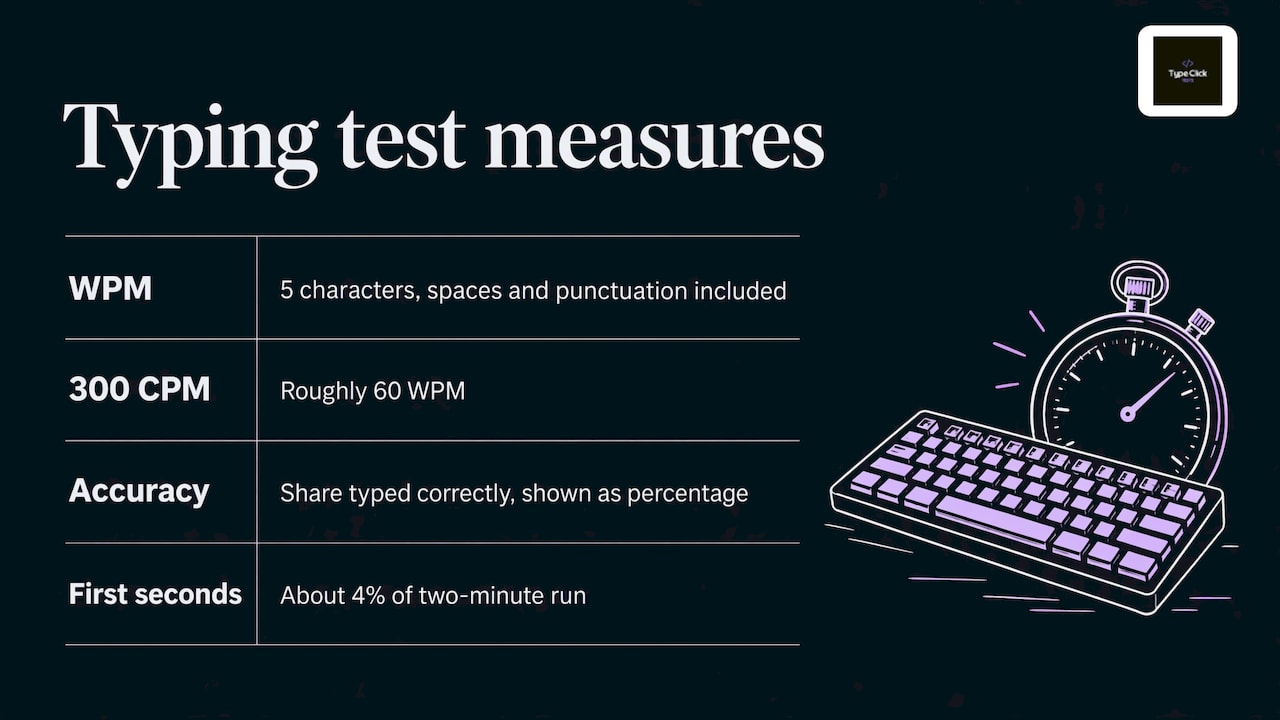
WPM (words per minute). A “word” in a typing test is not a real word. By convention it is five characters, spaces and punctuation included. That keeps long and short words from skewing the result.
CPM (characters per minute). The raw count of characters per minute, before dividing by five. If you type 300 characters a minute, you are at roughly 60 WPM. We show CPM next to WPM because it is the more direct number, and it is the one our animal ranks are based on.
Accuracy. The share of what you typed that was right, shown as a percentage. A test that ignores accuracy rewards mashing keys. A good one weighs both.
Two minutes sits in a useful middle. In 15 or 30 seconds, your first few words carry a lot of weight, so one hesitation can swing the result. In two minutes, the first few seconds are about 4% of the run, and your rhythm has time to show. You also get to see what happens when your fingers tire a little, which short bursts hide.
How the score is calculated
Most tests report two versions of speed. Gross WPM is your raw typing rate. Net WPM, also called adjusted WPM, subtracts the cost of mistakes.
Here is a worked example with round numbers:
- You type 600 characters in two minutes. That is 300 characters per minute (CPM).
- Divide by five: 60 gross WPM.
- You make 6 errors over the two minutes, which is 3 per minute.
- Net WPM is gross minus errors per minute: 60 − 3 = 57.
- If you typed 120 words and 114 were right, accuracy is 95%.
Details vary between tests. Some count a whole word as wrong if any letter in it is wrong. Others count each wrong keystroke. Some let you correct mistakes with backspace and count only what is left on screen; others count every uncorrected error for good. That is why the same person can score a few WPM differently on two sites, and why you should compare scores only within one test.
Our tests display the clock and the ranking criteria throughout, so you can see what is being counted while you type. Accuracy gets the same weight as speed in the feedback.
Why accuracy changes the picture
Two people can both type 60 WPM and have very different results. Someone at 60 WPM with 99% accuracy spends no time fixing things. Someone at 60 WPM with 90% accuracy has either left errors in the text or lost time with backspace, so their real working speed is lower. Our article on why accuracy matters more than a headline WPM goes into this in detail.
Hiring tests make the same point. PG&E’s typing test preparation guide describes a standardized test with a two-minute practice section and two scored sections of two and a half minutes each. Net WPM sets the level, from the entry level at 15 to 24 net WPM up to the top level at 55 or more. If you are practicing for an assessment like that, net WPM is the number to train.
What counts as a good two-minute score
Most people overestimate the average. Leaderboards and online test pages are filled with people who type a lot, enjoy typing, or are showing off a good run.
A January 2026 study in Scientific Reports, covering 10,613 US adults in a nationally representative panel, found a median of 37.8 WPM on a computer and 29.4 on a phone, adjusted for accuracy. That is the best picture of the general adult population. Self-selected online test takers tend to land higher, around the low 50s, because people who take these tests are not a random sample.
So here are rough bands you can use. They are our own plain-language reading, not an official standard:
| Net WPM | CPM (approx.) | What it usually means |
|---|---|---|
| Under 25 | Under 125 | Hunt-and-peck or very early touch typing |
| 25 to 40 | 125 to 200 | Typical for general adults |
| 40 to 55 | 200 to 275 | Comfortable for most office work |
| 55 to 75 | 275 to 375 | Fast; meets many job-test bars |
| 75 and up | 375 and up | Very fast, usually from years of daily practice |
For more on where these bands come from, see our plain-language guide to average typing speed.
What counts as good depends on why you are testing:
- Students: 40 WPM at high accuracy makes essays and note-taking noticeably easier. Anything above that is a bonus.
- Job seekers: Check the number the employer asks for and note whether it is net or gross. Clerical and data-entry roles often set a bar in the 40 to 55 range, with an accuracy floor that matters as much as the speed.
- Gamers: Typing speed matters in chat-heavy games and typing games. Click speed is a different skill, and we cover it below.
- Hobbyists: Pick a rank, beat it, and enjoy the climb.
What affects your result
If your score jumps around between runs, it is usually one of these.
The text. Common short words flow quickly. Passages heavy with punctuation, capital letters, numbers or unusual names slow nearly everyone down. A test with plain sentences will give you a higher score than one with quotes and commas.
Your keyboard and posture. A familiar full-size keyboard beats a laptop you rarely use. A phone or tablet will lower your speed, as the national study’s computer versus phone numbers show.
Warm-up. Your first run of the day is often your worst. Fingers need a minute or two of typing before they settle.
Backspace habits. Fixing every error mid-word feels safe but costs time. Over two minutes, a dozen corrections can take a few seconds each, which adds up.
Look-ahead. Fast typists read a few words ahead of what they are typing. If you stare at the letter you are on, your speed is capped.
Nerves. A test labeled “assessment” makes hands tighten. Low-stakes practice is the cure, which is why a free test with no account needed is a good place to build calm.
Time of day and fatigue. Late-night scores are usually lower than mid-morning ones. Test at the time you will actually take the real thing, if there is one.
Two minutes versus other test lengths
Different lengths answer different questions.
- 15 or 30 seconds show your burst speed. They are quick, but one slip distorts them. Our comparison of 15 second and 1 minute tests explains which score to trust.
- 1 minute is the standard benchmark. Most published WPM figures use it, so it is the best test for comparing yourself with others.
- 2 minutes shows how well you hold your speed once the novelty wears off.
- 3 to 5 minutes reveal endurance and consistency. Read when endurance matters if you type for long stretches at work.
A practical approach: run the one-minute test for your benchmark and the three-minute test for your holding speed. If your three-minute WPM is close to your one-minute WPM, your two-minute result will land between them. If it drops a lot, stamina and accuracy under fatigue are your training target.
How to take a two-minute test properly
The steps are simple, and each has a trap.
- Set up like it counts. Sit upright, forearms level, screen at eye height. The trap is testing in a slouch on a couch and then comparing the number with a desk score.
- Warm up for a minute. Type any passage and ignore the result. Warming up is a common recommendation for protecting your score: one throwaway run, a few slow breaths, and a deliberately slower first line to avoid early errors.
- Read the first line before the clock starts. If the timer begins on your first keystroke, take a second to look at the opening words so you do not freeze.
- Type at a pace you can hold. Starting at your absolute limit produces errors in the first 20 seconds, and recovering costs more than it gained.
- Do not chase every error. If you notice a slip a word back, keep going unless the test requires corrections. Rhythm is worth more than one perfect word.
- Record WPM, CPM and accuracy together. Write down all three. A rising WPM with falling accuracy is not progress.
- Repeat three times and take the middle score. One run can be a fluke in either direction. Three give you a fair read.
How to raise your two-minute score
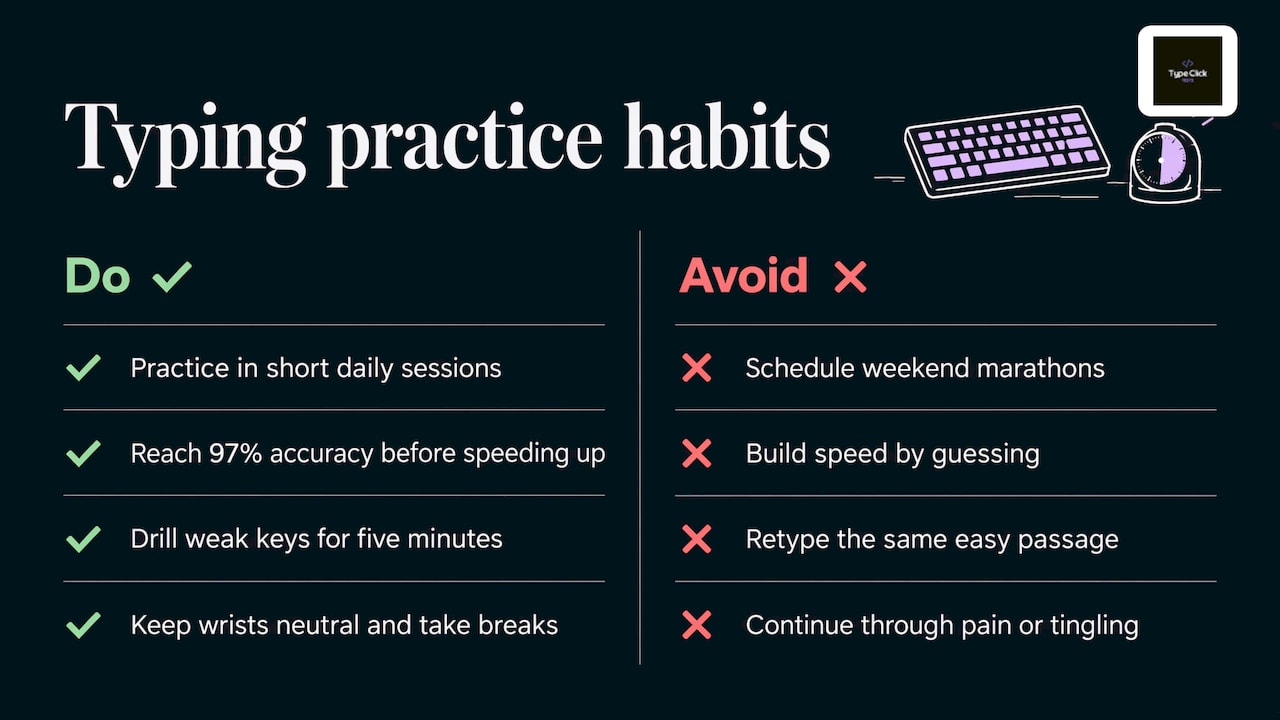
A realistic plan beats a heroic one. Short daily sessions work better than a long weekend marathon, because your fingers learn through repetition and rest.
Start with accuracy. Slow down until you can finish a two-minute run at 97% or better, then increase speed in small steps. Speed built on clean keystrokes sticks. Speed built on guessing does not. Our guide to typing faster without losing accuracy lays out the routine.
Learn the home row if you have not. Touch typing, with fingers resting on the home row and your eyes on the screen, is the largest single upgrade for most people. It takes a few weeks to feel natural and then it pays off for years.
Practice your weak keys. After each run, notice which letters or punctuation marks cost you. Drill those for five minutes instead of retyping the same easy passage.
Mix test lengths. Use the 15 second test or the 30 second test for quick drills, and the longer tests for stamina. Short runs are good for pushing your pace, while long runs build consistency.
Aim for small, measurable gains. Many learners who start in the 30 to 50 WPM range and practice 15 to 20 minutes a day see gains of several WPM within a couple of weeks. Treat that as a rough guide, not a promise. Individual results vary a lot with starting habits.
Rest your hands. Stop if you feel pain or tingling in your wrists or fingers. Take breaks, keep your wrists neutral, and see a doctor if discomfort persists.
If you are practicing for a job test
Find out three things before the day: whether the score is net or gross, what the accuracy minimum is, and whether backspace and auto-correct are allowed. A fast but sloppy score can miss a bar that a slower, cleaner one clears. Practice on the same kind of keyboard you will use. If the test is timed at two or two and a half minutes, run our one-minute and three-minute tests back to back a few times a week so the real thing feels familiar.
Where our tests fit
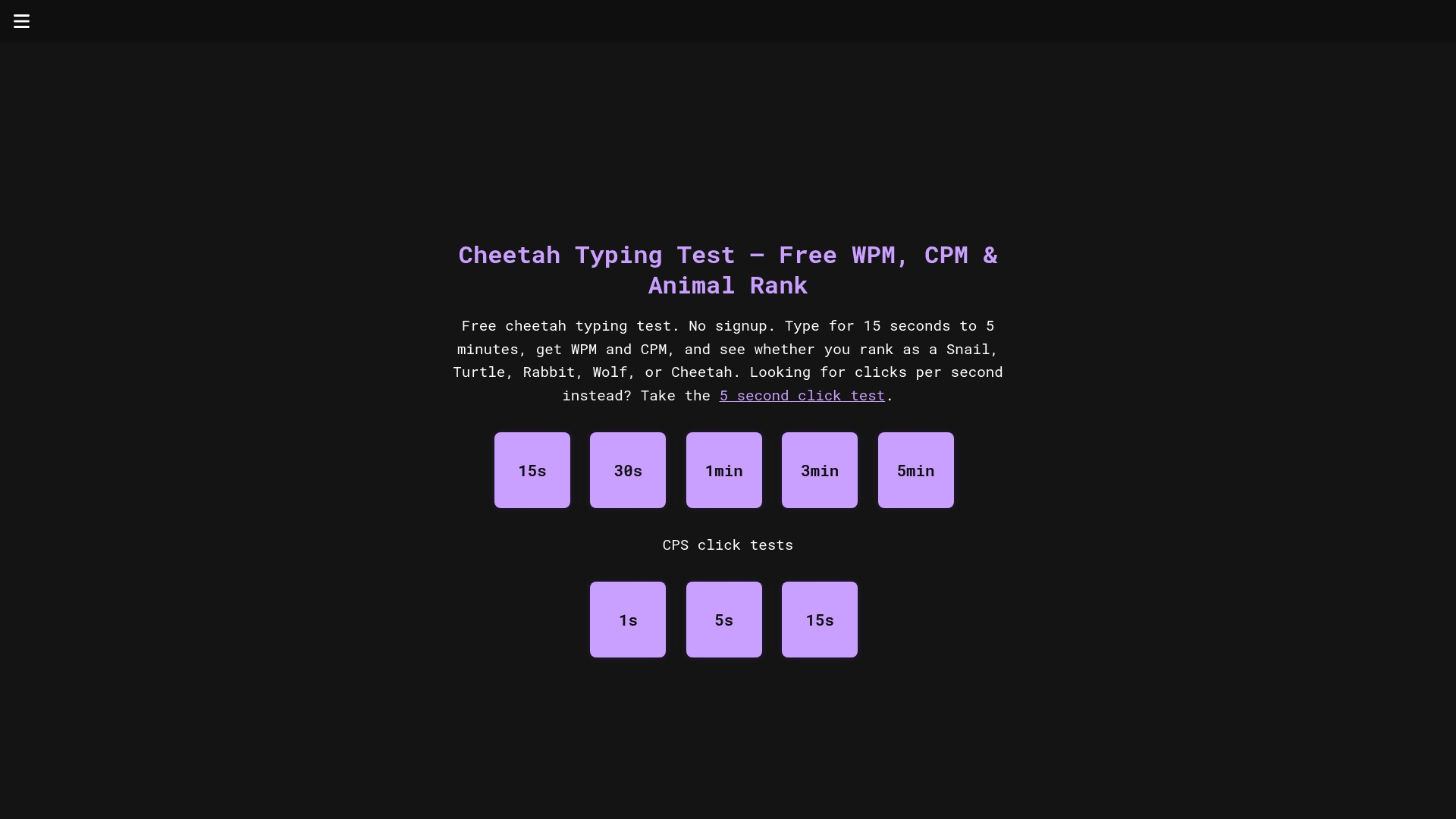
We built Type Click Tests so you can check your speed and move on. Our timed typing tests run from 15 seconds to 5 minutes, calculate WPM, CPM and accuracy in your browser, and show your rank on an animal scale, from Snail up to Cheetah and Falcon. There is no account, no paywall and no certificate to buy. The clock and the ranking criteria stay visible and explained.
For a two-minute-length effort, start with the 1 minute typing test as your benchmark, then try the 3 minute test to see how your pace holds. Each shows speed and accuracy side by side so you know what to work on. You can find all of them on the typing tests page.
If you want a break between runs, the site also has browser games: a reaction test, color memory, and higher-or-lower quizzes. They are a lighter way to rest your hands and keep your focus sharp.
A note for gamers: typing speed is not click speed
If you landed here from a gaming angle, keep the two skills apart. Typing speed is about sequences of keystrokes. Click speed is about how many clicks you can land in a set time, and reaction time is how fast you respond to a signal. Training one does not much help the others. Type Click Tests has separate tools for each, including the F1 reaction test and Stop the Wheel, so you can measure them one at a time.
A simple weekly routine
If you want a plan you can follow without thinking, use this one.
- Monday, Wednesday, Friday: one warm-up run, then three 1-minute tests. Note your median WPM and accuracy.
- Tuesday and Thursday: two 3-minute tests, focusing on holding a steady pace and keeping accuracy above 96%.
- Weekend: one run of each length, and write down your best accuracy rather than your best speed.
After two weeks, compare your first and last logs. If accuracy rose and speed held, you are on track. If speed rose but accuracy fell, slow down for a few days and rebuild. Progress is rarely a straight line; plateaus are normal, and a rest day often ends one.
FAQ
Is a two-minute typing test more accurate than a one-minute test?
It is usually steadier, because a single early slip counts for less across 120 seconds than across 60. It is not a different kind of measurement, though. For comparing yourself with published averages, the one-minute test is the common benchmark, so use both.
How do I convert WPM to CPM?
Multiply WPM by five. A score of 50 WPM equals about 250 CPM. Going the other way, divide CPM by five. This works because a typing-test “word” is conventionally five characters, spaces included.
What is a good WPM on a two-minute typing test?
For most adults, 40 to 50 net WPM at 95% accuracy or better is a strong result. A national panel study put the median US adult at 37.8 WPM on a computer. Job tests often set their own bar, so check the number your employer lists and whether it is net or gross.
Why is my score lower on a longer test?
Longer runs expose tiredness, loss of focus and error build-up that a short sprint hides. It is common to lose a few WPM between one and three minutes. Practicing with slightly longer runs and keeping your pace a notch below your limit narrows the gap.